Monster Hunter Wilds local co-op on Switch 2: how local play works
Monster Hunter Wilds on Switch 2 supports local wireless co-op for up to four players. What you need, how to set up a lobby, and what local play cannot do.
The short answer
Up to four players in the same room can hunt together over local wireless, with no internet and no Nintendo Switch Online membership. Each player needs their own Switch 2 and their own copy; there is no split screen. Start it from Select Lobby > Local Play. Local play goes offline, so SOS flares, event quests, online challenge quests and voice chat are unavailable.
- Players
- Up to 4, one Switch 2 and one copy each
- Split screen
- No
- Nintendo Switch Online
- Not needed for local play
- Internet
- Off during local play
- Start it from
- Select Lobby > Local Play, or the Quest Counter
- Unavailable locally
- SOS flare quests, event quests, online-only and free challenge quests, voice chat
What do you need?
- One Nintendo Switch 2 per player, up to four
- One copy of Monster Hunter Wilds per player, on each console
- The same game version on every console
You do not need the internet or a Nintendo Switch Online membership. Nintendo’s store page lists local wireless play for one to four players, and Nintendo’s Australian page states that local multiplayer needs one console and one copy per player. There is no split screen, and neither Nintendo nor Capcom lists GameShare support for the game.
Capcom calls local play a feature unique to the Switch 2 version. The PS5, Xbox and PC versions only have online co-op.
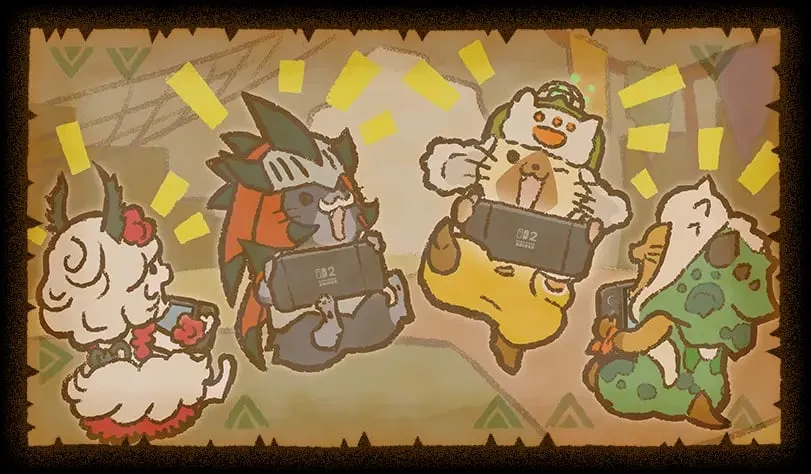
How do you start a local session?
- On the title menu, choose Start Game and your save.
- At Select Lobby, choose Local Play. In the game, you can instead go to the Quest Counter’s Change Lobby Menu and choose Local Play.
- One player creates a lobby. The others search for nearby lobbies and join.
The host can set a passcode on the lobby. Anyone joining then has to enter it.
When you join a local lobby, you are put in a Link Party with everyone in it automatically, and you cannot leave that Link Party while you stay in the lobby. Link Parties keep a group together between quests and notify members when someone starts one. See the multiplayer guide for how those work.
What can’t you do in local play?
Local play takes you offline. Capcom’s manual lists what you lose:
- SOS flare quests (other players cannot answer your flares)
- Free challenge quests
- Online-only challenge quests and event quests
- Voice chat
SOS flares still call NPC Support Hunters in local play, whatever your Multiplayer Settings at the Quest Counter say.
When you end local play, you stay offline. To play online again, rejoin a lobby.
What if your versions don’t match?
Everyone needs the same version for multiplayer. Normally, update over the internet. Without internet, Capcom’s manual describes a local fix:
- Close the game. On the HOME Menu, highlight Monster Hunter Wilds and press the plus button.
- Choose Software Update > Match Version with Local Users.
- One player chooses Create Group. The others choose Join Group, then follow the instructions.
Does the demo support local play?
Yes. The free Prologue Demo supports local play for up to four, with the demo on each console. The demo and the full game cannot play together locally.
How do Palicoes and Seikrets work in a local group?
The same as online. With one or two players, each Palico joins the hunt; with three or four, none do. Every player always has their own Seikret. More in Palico and Seikret.
Newsletter
Get new guides by email
One short email when new walkthroughs and guides go up. No spam, and you can unsubscribe from any email.
You'll get an email to confirm. Sign-ups are handled by Kit; see our privacy page.
Quick questions
Does Monster Hunter Wilds have local co-op on Switch 2?
Yes. Up to four Switch 2 consoles nearby can play together over local wireless. Capcom says this feature is unique to the Switch 2 version.
Does Monster Hunter Wilds have split-screen co-op?
No. Each player needs their own Nintendo Switch 2 and their own copy of the game.
Do I need Nintendo Switch Online for local play?
No. Capcom's manual says a membership is not required for local multiplayer.
Can I play local co-op with one copy using GameShare?
Nintendo's store page lists local wireless play only and says each player needs a console and a copy. Neither Nintendo nor Capcom lists GameShare for Monster Hunter Wilds.
Can we do event quests in local play?
No. Local play disconnects from the internet, so event quests, SOS flare quests, free challenge quests and online-only challenge quests are unavailable.
Do SOS flares work in local play?
They call NPC Support Hunters, whatever your settings are. Other players cannot answer them, because you are offline.
What if our game versions don't match and there's no internet?
Use Software Update > Match Version with Local Users from the game's HOME Menu options. One player creates a group and the others join.
Sources
- Multiplayer: Overview of Multiplayer (Nintendo Switch 2)Capcom official online manual
- Multiplayer: Doing Quests in Multiplayer (Nintendo Switch 2)Capcom official online manual
- Multiplayer: SOS Flares (Nintendo Switch 2)Capcom official online manual
- Game Updates: Updating the Game (Nintendo Switch 2)Capcom official online manual
- Nintendo Switch 2 VersionCapcom
- Monster Hunter WildsNintendo Australia
- Monster Hunter Wilds for Nintendo Switch 2Nintendo
More Monster Hunter Wilds guides
- Does Monster Hunter Wilds have cross-play and cross-save?Monster Hunter Wilds has cross-play across Switch 2, PS5, Xbox and PC, but no cross-save or cross-buy. How to turn cross-play on or off and limit hunts to your platform.
- Monster Hunter Wilds Switch 2 performance: resolution, fps and modesCapcom's targets for Monster Hunter Wilds on Switch 2: 1260p or 1080p docked, 864p handheld, all at 30fps with no ray tracing. Plus what the demo analysis found.
- Monster Hunter Wilds Switch 2 release date, price and pre-order dealMonster Hunter Wilds comes to Nintendo Switch 2 on December 4, 2026. The digital game is $39.99, or $29.99 if you pre-order by December 3. All prices and editions.
- Monster Hunter Wilds Switch 2 vs PS5, Xbox and PC: what's differentThe Switch 2 version of Monster Hunter Wilds has all the free updates and cross-play, plus local play. It runs at 30fps without ray tracing and has no cross-save.